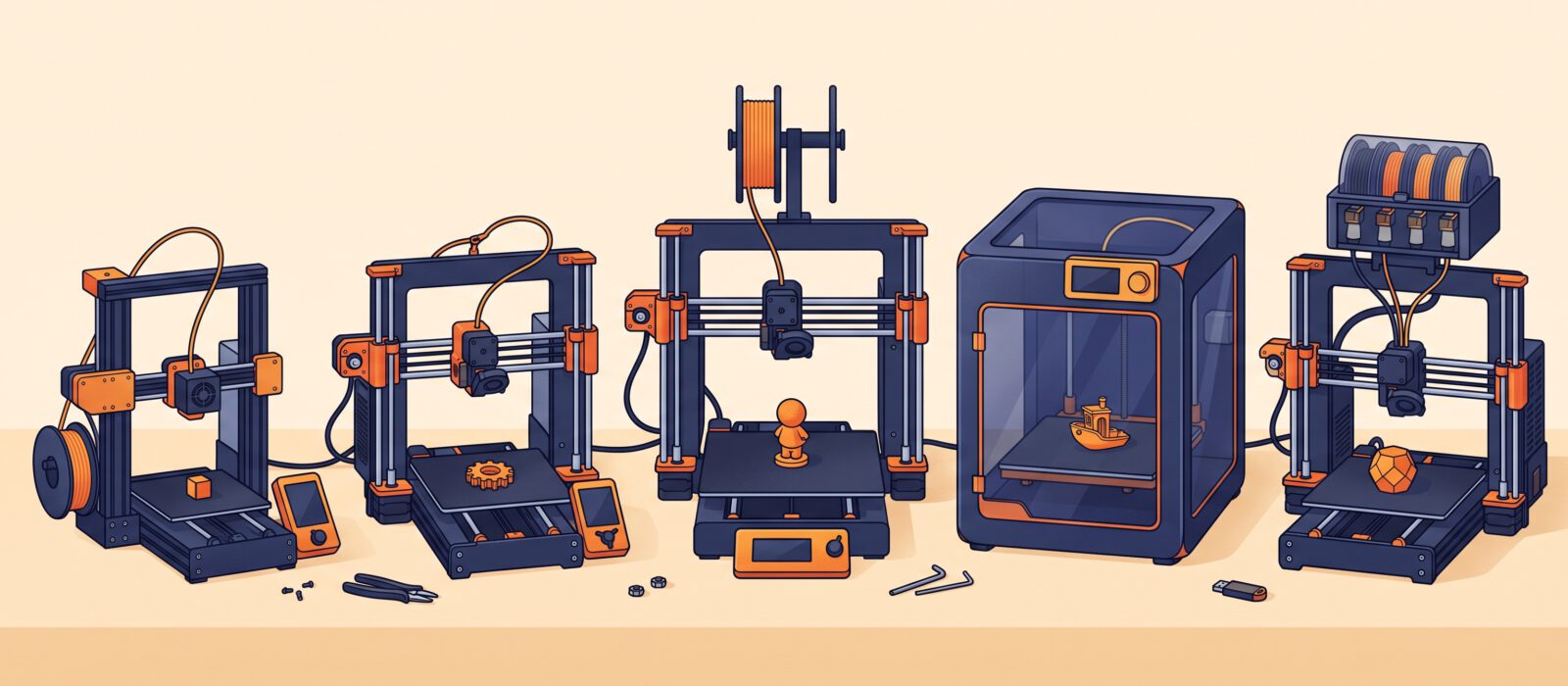
Choosing your first 3D printer is the biggest decision in the hobby, and the market in 2026 has never been better for beginners. Prices have fallen, setup is largely automatic and even entry-level machines produce prints that would have impressed hobbyists a few years ago. This guide compares the five best beginner printers right now with real prices, limits, software requirements and where to buy.
At a glance
| Printer | Price | Build volume | Type | Enclosed | Multicolor | Best for |
|---|---|---|---|---|---|---|
| Bambu Lab A1 mini | $219 – $299 | 180 × 180 × 180 mm | Open bed-slinger | No | Optional (AMS lite) | First-time buyers |
| Bambu Lab A1 | $349 – $399 | 256 × 256 × 256 mm | Open bed-slinger | No | Optional (AMS lite) | Beginners who want size |
| Creality Ender-3 V3 SE | $199 – $219 | 220 × 220 × 250 mm | Open bed-slinger | No | No | Tight budgets, tinkerers |
| Elegoo Centauri Carbon | $285 – $309 | 256 × 256 × 256 mm | Enclosed CoreXY | Yes | Newer CC2 model | Enclosed on a budget |
| Anycubic Kobra X | about $299 | 260 × 260 × 260 mm | Open bed-slinger | No | Built in | Color from day one |
Typical price (US dollars, lower is cheaper)
Build volume in liters (bigger fits larger prints)
How to read “beginner,” “intermediate,” “expert” and “rock star”
We tag every printer in this guide by the skill level it suits best, so you can match the machine to where you are, not just to your wallet.
| Level | What it means | What to look for |
|---|---|---|
| Beginner | Your first printer. You want it to work with minimal fuss. | Auto-leveling, mostly assembled, friendly software, good support |
| Intermediate | You have printed for a few months and want speed, size or multiple colors. | Larger bed, enclosure, multicolor, faster speeds |
| Expert | You print engineering materials and tune settings for fun. | Enclosed chamber, high-temperature hotend, repairability, open software |
| Rock star | You run a print farm, a small business or complex multi-material jobs. | Multi-material toolchangers, large build volume, top speed and reliability |
1. Bambu Lab A1 mini
Bambu Lab A1 mini
The A1 mini is the printer most reviewers point new buyers to. It arrives mostly assembled, calibrates bed leveling and flow on its own, and produces good prints with the default profiles. If you want to spend your first week printing instead of tuning, this is the lowest-stress way in.
Who it is for: First-time buyers, kids and teens (with some adult supervision), dorm or desk setups, and anyone who wants to find out whether 3D printing sticks before spending more.
Pros
- Setup in roughly 15 minutes with automatic calibration
- Fast and fairly quiet (about 48 dB)
- Huge library of ready-to-print models on MakerWorld
- Works with third-party filament
- Optional AMS lite adds four-color printing later
Limitations
- Small 180 mm build volume rules out helmets and large cosplay parts
- Open frame, so it is limited to PLA, PETG and TPU-type materials (no ABS or nylon)
- The AMS lite combo pushes the total well above $300
- Works best inside Bambu’s own software and app ecosystem
Software: Bambu Studio (free, runs on Windows, macOS and Linux) is the default and has one-click profiles. OrcaSlicer also works. The Bambu Handy phone app handles monitoring and remote start.
Filament / resin requirements: Standard 1.75 mm filament from any brand. Start with PLA (about 200 °C). PETG and TPU also work. Bambu’s RFID-tagged spools are auto-detected, but they are optional.
Accessories and upgrades: AMS lite (multi-color, about $130 extra in combo form), spare nozzles, a digital caliper, flush cutters and a filament dry box. A textured PEI plate is available if you want a different finish on the bottom of prints.
2. Bambu Lab A1
Bambu Lab A1
The A1 is the A1 mini’s bigger sibling. It has the same self-calibrating, nothing-to-tune experience but with a 256 mm cube of build space, which is the size most people end up wanting within a few months. If your budget stretches, this is the one most beginners are happier with long-term.
Who it is for: Beginners who expect to print larger things (helmets, organizers, functional parts) and would rather buy once. Also a strong pick for families and classrooms that will share one printer.
Pros
- Same easy automatic setup as the A1 mini
- Large 256 mm build volume
- Quick-swap nozzle makes clogs and nozzle changes painless
- Optional AMS lite for four-color prints
- Big community and constant software updates
Limitations
- Bed-slinger design: very tall, fast prints can wobble slightly
- Open frame, so no ABS, ASA or nylon
- Prices vary between sources; check current price before buying
- Closed-ish ecosystem: the best features need Bambu’s software
Software: Bambu Studio (free) with ready-made profiles, or OrcaSlicer. The Bambu Handy app provides remote monitoring.
Filament / resin requirements: Any 1.75 mm filament. PLA is the easiest start; PETG and TPU are fine too. Avoid enclosure-hungry materials like ABS and nylon on this open-frame machine.
Accessories and upgrades: AMS lite for multi-color, a second build plate, spare nozzles, a filament dryer and a caliper.
3. Creality Ender-3 V3 SE
Creality Ender-3 V3 SE
The cheapest credible auto-leveling printer on this list. The Ender-3 line is the most documented in the hobby, so almost every problem you hit has a tutorial and every upgrade has a model to print. It needs a little more assembly and tuning than the Bambu machines, but costs about the same as a good pair of sneakers.
Who it is for: Budget-minded beginners who do not mind some tinkering and like having a huge community to lean on. A great first printer for learning how printers actually work.
Pros
- Lowest price of any recommended auto-leveling printer
- About 15 to 30 minutes of assembly (mostly pre-assembled)
- Large 220 × 220 × 250 mm build volume
- Direct-drive extruder handles PLA, PETG and flexible filament
- Giant community, upgrades and tutorials
Limitations
- Slower than newer machines (250 mm/s maximum)
- 260 °C hotend limits you to lower-temperature materials like PLA and PETG
- No Wi-Fi, app, camera or multicolor option
- Single Z motor and a more basic build than the Bambu or Elegoo options
- Prints via USB drive or SD card
Software: Creality Print (free) or Cura. Both have an Ender-3 V3 SE profile. PrusaSlicer and OrcaSlicer also work with community profiles.
Filament / resin requirements: Standard 1.75 mm PLA is the sweet spot. PETG works well. Do not try ABS, ASA or nylon (no enclosure, and the hotend tops out at 260 °C).
Accessories and upgrades: A spare nozzle set, a PEI-coated build plate, a filament spool holder, a caliper, flush cutters and a small enclosure only if you want to experiment with warp-prone materials.
4. Elegoo Centauri Carbon
Elegoo Centauri Carbon
A fully enclosed CoreXY printer at a price that used to buy an open-frame machine. That enclosure matters: it keeps drafts out, tames noise and lets you print tougher materials like ASA, so the printer grows with you. It arrives with no assembly, has a built-in camera and a 4.3-inch touch screen, and levels itself.
Who it is for: Beginners who want a “real” modern printer with an enclosure, teens who want to grow into engineering-grade materials, and families who like quiet, contained prints.
Pros
- Fully enclosed, so more materials are possible
- No assembly and automatic bed leveling
- Built-in camera plus phone-app control
- Large 256 mm cube build volume
- Excellent price for what you get
Limitations
- Younger ecosystem than Bambu: fewer mods, profiles and accessories
- Multicolor needs the newer Centauri Carbon 2 Combo (CANVAS) rather than this model
- Enclosed machines need a little ventilation sense when printing ABS or ASA
Software: Elegoo’s own slicer (based on OrcaSlicer) is the easiest start. OrcaSlicer, Cura and PrusaSlicer also work. The Elegoo mobile app handles monitoring.
Filament / resin requirements: PLA and PETG out of the box. The enclosed chamber also supports ASA and similar materials. Always use the nozzle temperature printed on the filament spool.
Accessories and upgrades: Spare nozzles and build plates, a filament dryer, a caliper, and (for the Carbon 2) the CANVAS multi-color system.
5. Anycubic Kobra X
Anycubic Kobra X
The Kobra X is Anycubic’s answer to the Bambu A1: a fast, large-volume bed-slinger with a multicolor system (ACE Gen 2) built right into the toolhead. A 300 °C hotend means it is ready for tougher filaments, and a touchscreen setup walks you through the first print.
Who it is for: Beginners who want color from day one without buying an add-on later, and makers who want a larger bed at around the $300 mark.
Pros
- Multicolor is built in (four colors, expandable)
- Generous 260 mm cube build volume
- High-temperature 300 °C hotend
- Active noise reduction and touchscreen setup
- Competitive price for the features
Limitations
- Open frame, so enclosure-dependent materials need extra setup
- Color changes use the usual purge, which wastes some filament
- Smaller community and fewer profiles than Bambu
- Check the exact combo you are buying, since the price rises quickly with extras
Software: Anycubic Slicer Next is the easiest start. OrcaSlicer and Cura also work.
Filament / resin requirements: Standard 1.75 mm filament. PLA is the easiest start; PETG is fine. The 300 °C hotend is rated for ASA, nylon and carbon-fiber blends if you add an enclosure.
Accessories and upgrades: Extra ACE color units, an enclosure for high-temperature materials, spare nozzles and a filament dryer.
What you will really spend in your first three months
The printer is only part of the cost. Here is a realistic starting budget for an FDM printer:
| Item | Typical cost | Notes |
|---|---|---|
| Printer | $200 – $400 | See the table above |
| 2 to 3 spools of PLA | $40 – $75 | Roughly $15 – $25 per 1 kg spool. See our filament guide |
| Basic tools and extras | $50 – $100 | Calipers, flush cutters, scraper, spare nozzle. See our accessories guide |
| Software | $0 | Bambu Studio, OrcaSlicer, Cura and PrusaSlicer are all free |
| Total to get going | $300 – $575 | Most of it is the printer |
Software you will need
| Printer | Easiest slicer | Also works with | Phone app |
|---|---|---|---|
| Bambu Lab A1 / A1 mini | Bambu Studio | OrcaSlicer | Bambu Handy |
| Creality Ender-3 V3 SE | Creality Print | Cura, PrusaSlicer, OrcaSlicer | None (USB / SD card) |
| Elegoo Centauri Carbon | Elegoo Slicer | OrcaSlicer, Cura, PrusaSlicer | Elegoo app |
| Anycubic Kobra X | Anycubic Slicer Next | OrcaSlicer, Cura | Anycubic app |
All of these slicers are free. Download them from the maker’s official site, or visit OrcaSlicer, Cura or PrusaSlicer.
How to choose
- Want the least hassle? Choose the Bambu Lab A1 mini or A1.
- Want the lowest price? Choose the Ender-3 V3 SE, and accept a bit more tinkering.
- Want an enclosure to print tougher materials later? Choose the Elegoo Centauri Carbon.
- Want color without buying an add-on? Choose the Kobra X.
- Printing for kids? Look at enclosed machines or the A1 mini with supervision. The nozzle and bed get hot, and moving parts can pinch fingers.
Frequently asked questions
Is an expensive printer better for beginners?
Not necessarily. Reliability and ease of setup matter more than speed or size. A $200 to $350 printer with auto-leveling is plenty for your first year.
Should I buy a kit or an assembled printer?
Choose assembled or mostly assembled. Kits teach you a lot, but they add hours of work and room for mistakes when you just want to print.
Do I need an enclosure?
Not for PLA and PETG, which are the best materials to start with. An enclosure matters for ABS, ASA and nylon, and it also helps with noise and drafts.
Resin or filament for a first printer?
Start with filament (FDM) unless you are certain you want detailed miniatures. See our resin guide if you are.